🎙
Podcasts
Bring remote podcast guests into your production without asking them to install special software.
Create a podcast room →Remote guest production, right in your browser
Create a private production room, invite guests with a simple link, and manage camera, microphone, screen sharing and remote feeds from one browser-based workspace.
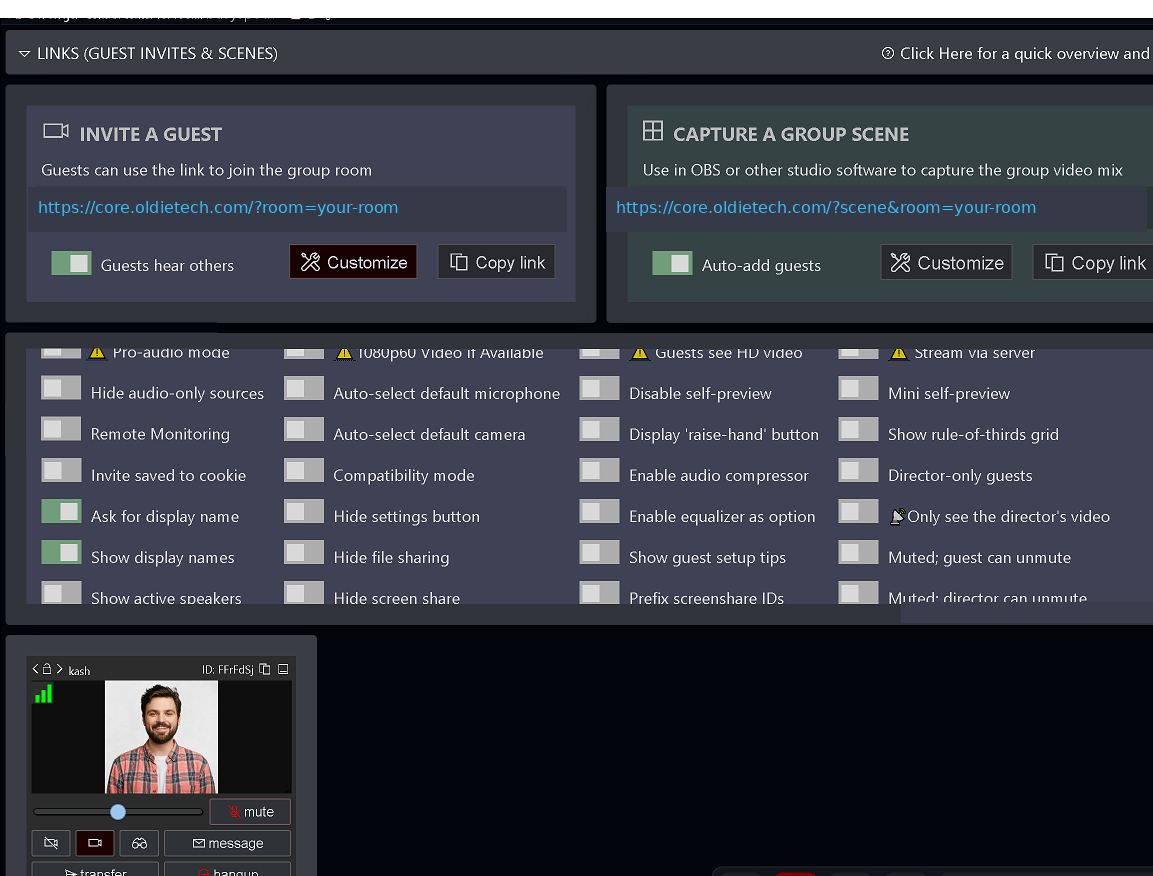
Invite guests, manage participants and prepare production-ready feeds from one control room.
Built for live production
LiveBridge gives remote contributors an easy way in while keeping the director in control.
Bring remote podcast guests into your production without asking them to install special software.
Create a podcast room →Invite speakers, experts or clients by link and manage their camera and microphone from the director room.
Start an interview →Connect presenters, contributors and remote cameras for live shows, webinars and online events.
Create a live room →From invite link to production
Keep the guest experience simple while giving the production side the controls needed to manage a professional remote session.
Share a browser link and let guests enter the room without creating an account.
Guests can connect their webcam and microphone directly from a supported browser.
See connected guests and manage the remote production workflow from one central workspace.
Bring presentations, browser tabs and desktops into remote production sessions.
Work with separate guest feeds when building scenes or sending sources into your production workflow.
Designed for interactive remote production where timely audio and video communication matters.
Production control
Guests get a clear path into the room. Directors get one place to organize the session.
How it works
Create the room first, then send the guest link and manage the live session from your director workspace.
Choose a unique room name, your director name and an optional password.
Copy the guest invitation link from the director room and share it with participants.
Manage guests, feeds and production controls from the browser.
Create your room
After the room opens, use the director workspace to copy a guest link and invite your participants.
No account is required to create a room.
Help & support
No. Guests can join using a supported web browser and allow camera and microphone access when prompted.
An updated Chrome or Edge browser provides the simplest experience. Important sessions should always be tested on the intended device beforehand.
Check browser site permissions, select the correct devices, and close other applications that may already be using the camera or microphone. Secure HTTPS access is required.
Connection quality depends on internet stability, Wi-Fi, device performance and network restrictions. Try stronger Wi-Fi, Ethernet, another network or a less restrictive VPN configuration.
No. A session is not automatically recorded unless recording has been explicitly enabled. Always verify recording before an important production.
Anyone with a valid invitation link may attempt to join. Use a unique room name, add a password for private productions and only share the invitation link with intended guests.
No online communication system should be described as completely anonymous. Network information may be exposed during real-time connections, and some restricted networks may require relay infrastructure.
Your next guest starts here
Create a room, send the invite link and move into your production workflow.
Create a Live RoomSolutions by OldieTech
Need more than the free LiveBridge tool? OldieTech can help with private deployment, always-on channels and multistream infrastructure.
Need a private or branded setup on infrastructure you control? Talk to OldieTech about your workflow and deployment requirements.
Request a private setup → MANAGED SERVICETurn scheduled or existing video content into an always-on live channel without keeping your local production machine running.
Explore 24/7 streaming → STREAMING INFRASTRUCTURESend one live source to multiple streaming destinations through a workflow built around your own streaming needs.
Explore multistream →SELF-HOSTED
Your domain. Your infrastructure. Your control.
LIVE CHANNEL
Keep your channel live without keeping your PC online.
STREAMING PLATFORM
One source. Multiple streaming destinations.